newPer-variation automation
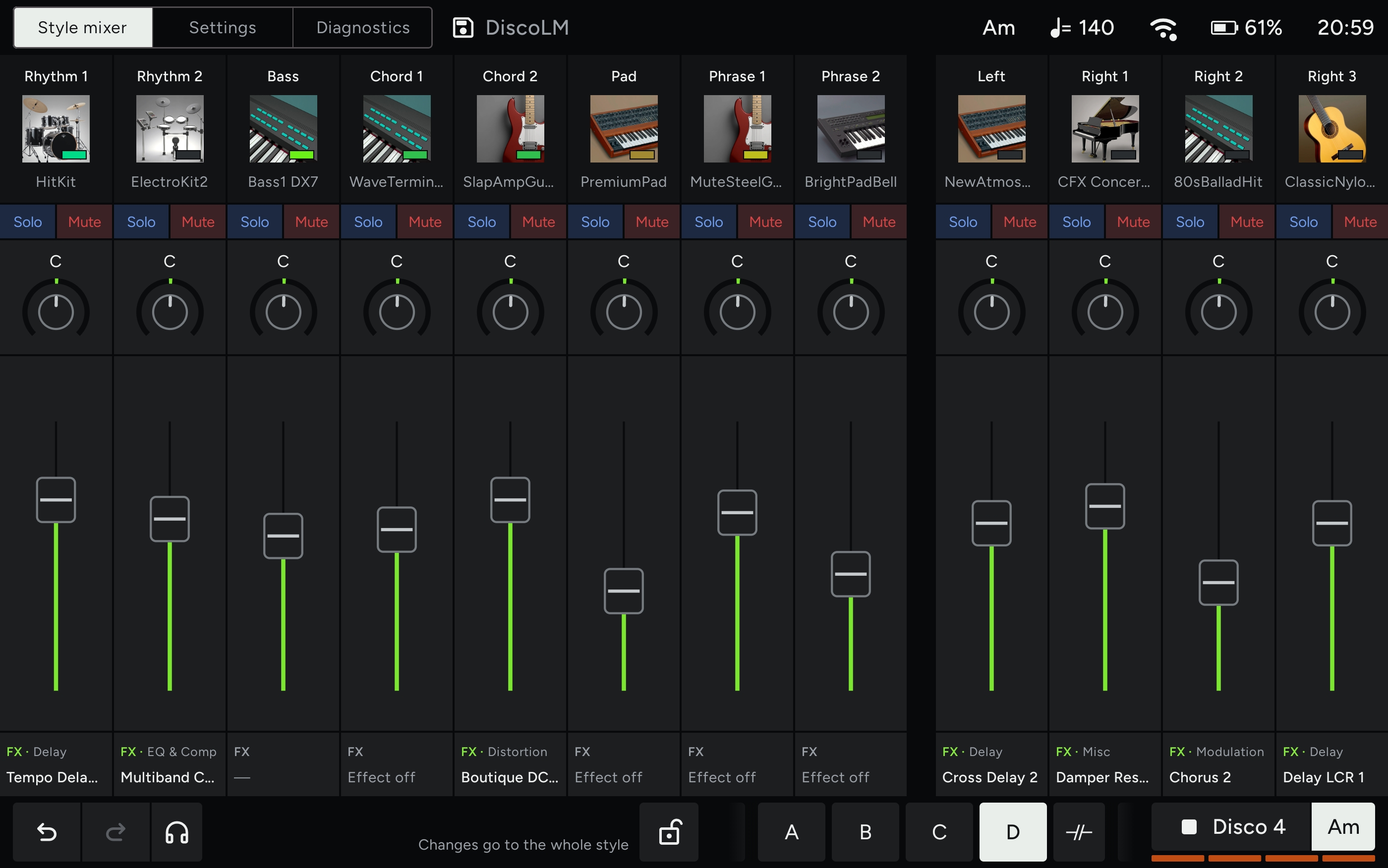
Pick a bass, a pad or a level for Main A and it comes back every time Main A does. B, C and D keep their own settings. Or lock a change to the whole style with one tap.
Works with Genos2 · In development
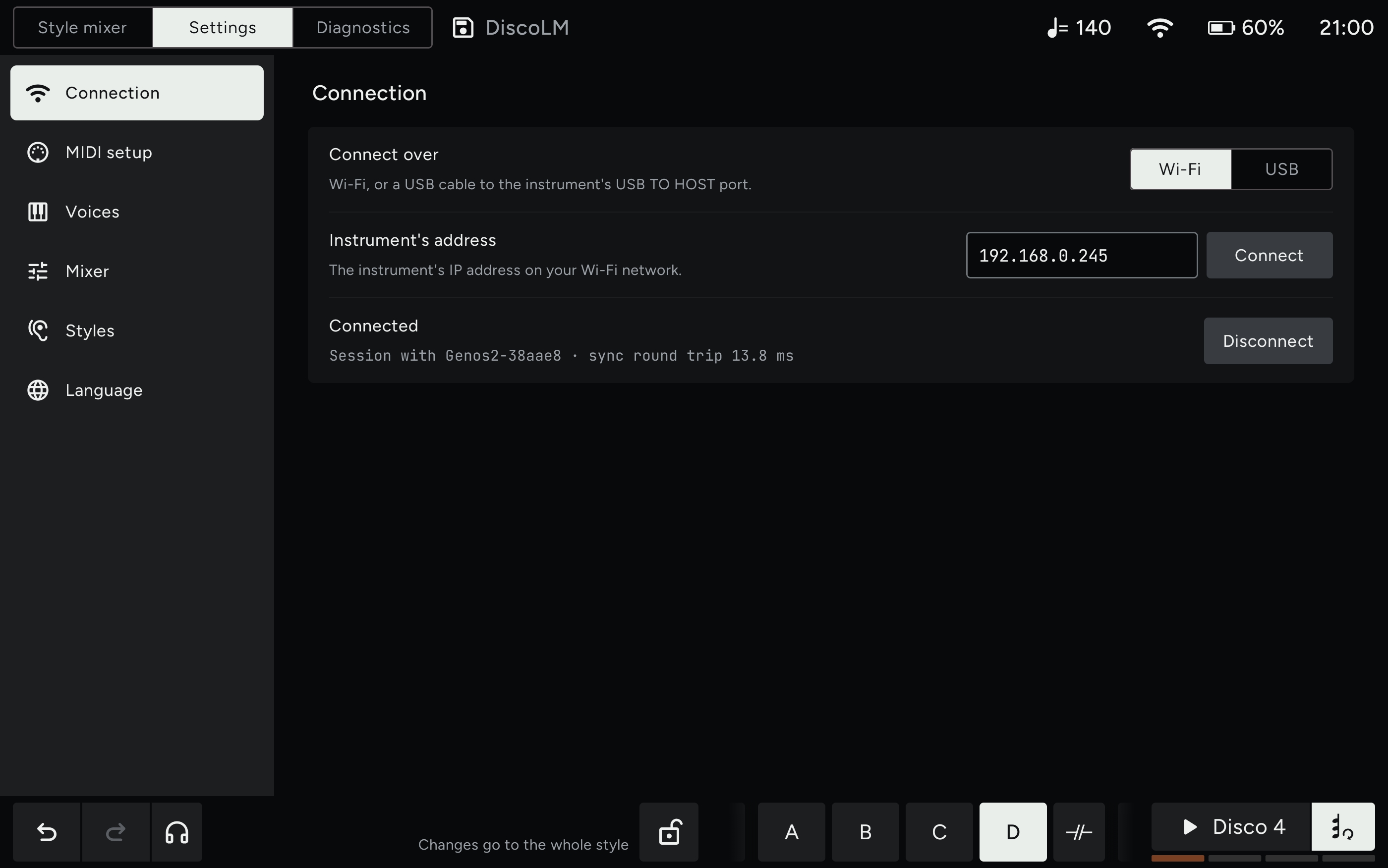
Continuo Console is a tablet app for studio-grade style editing. Change voices and the mix for each variation: the app remembers them and sends them back every time that variation comes in. Over Wi-Fi or USB.
Pick a bass, a pad or a level for Main A and it comes back every time Main A does. B, C and D keep their own settings. Or lock a change to the whole style with one tap.
Pick a style on the panel and the app knows it within a tenth of a second, then brings back everything you set for it. Fast and quiet enough to use live.
Volume, pan, reverb, chorus and EQ for every style part and for the Left and Right voices, with solo and mute.
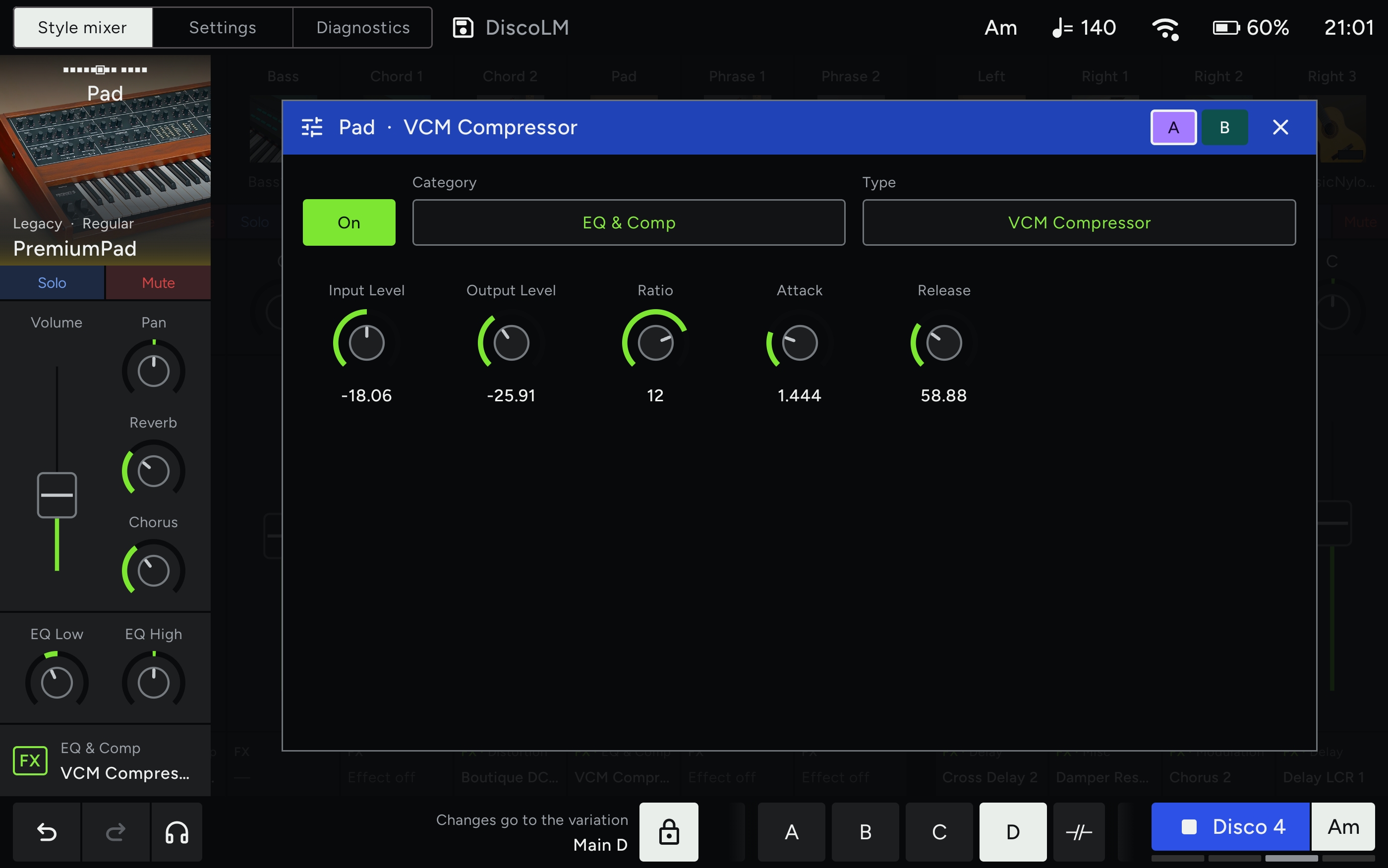
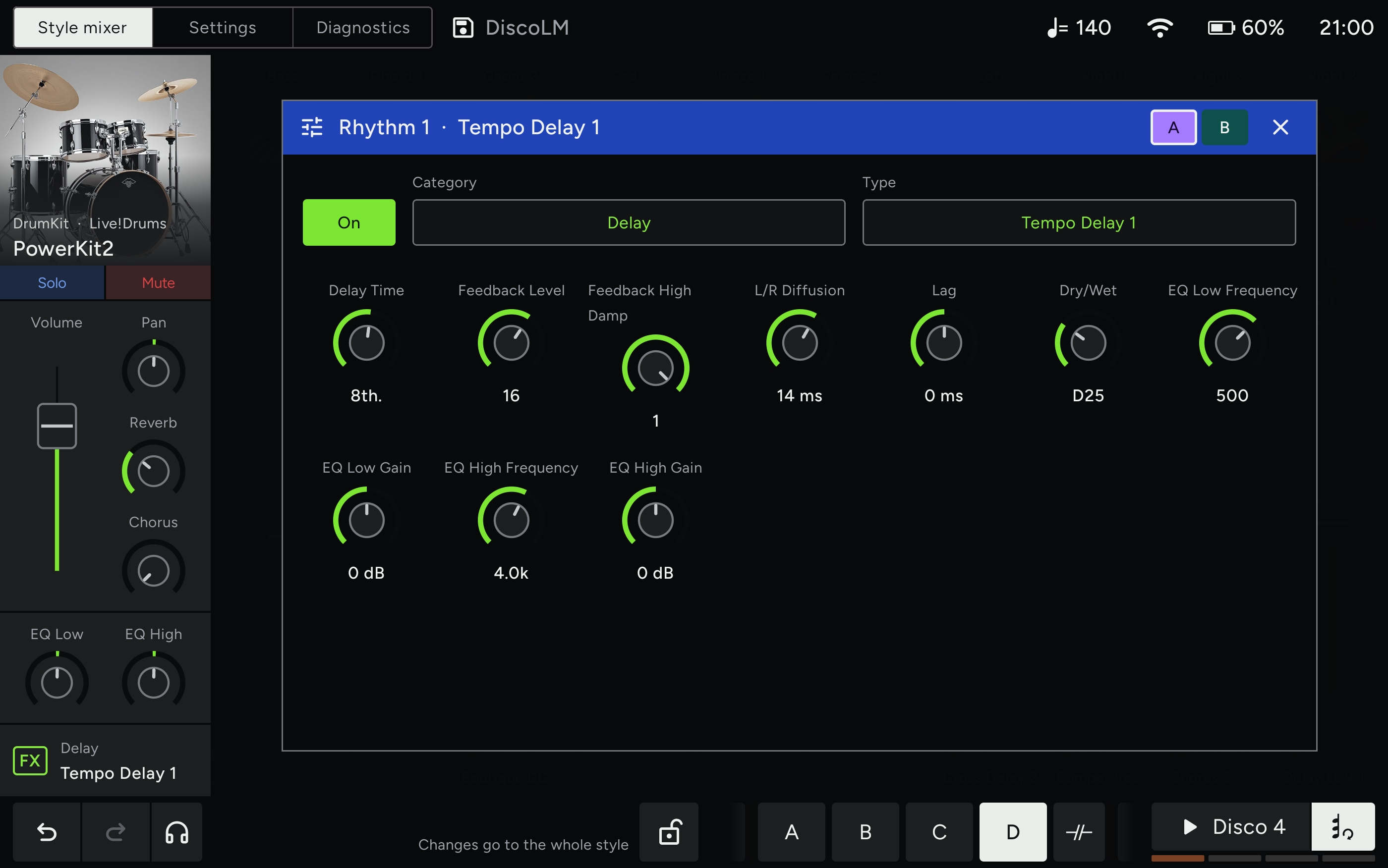
Change the insertion effect of any part and shape it with every parameter on its own knob. Flip between A and B to compare two settings.
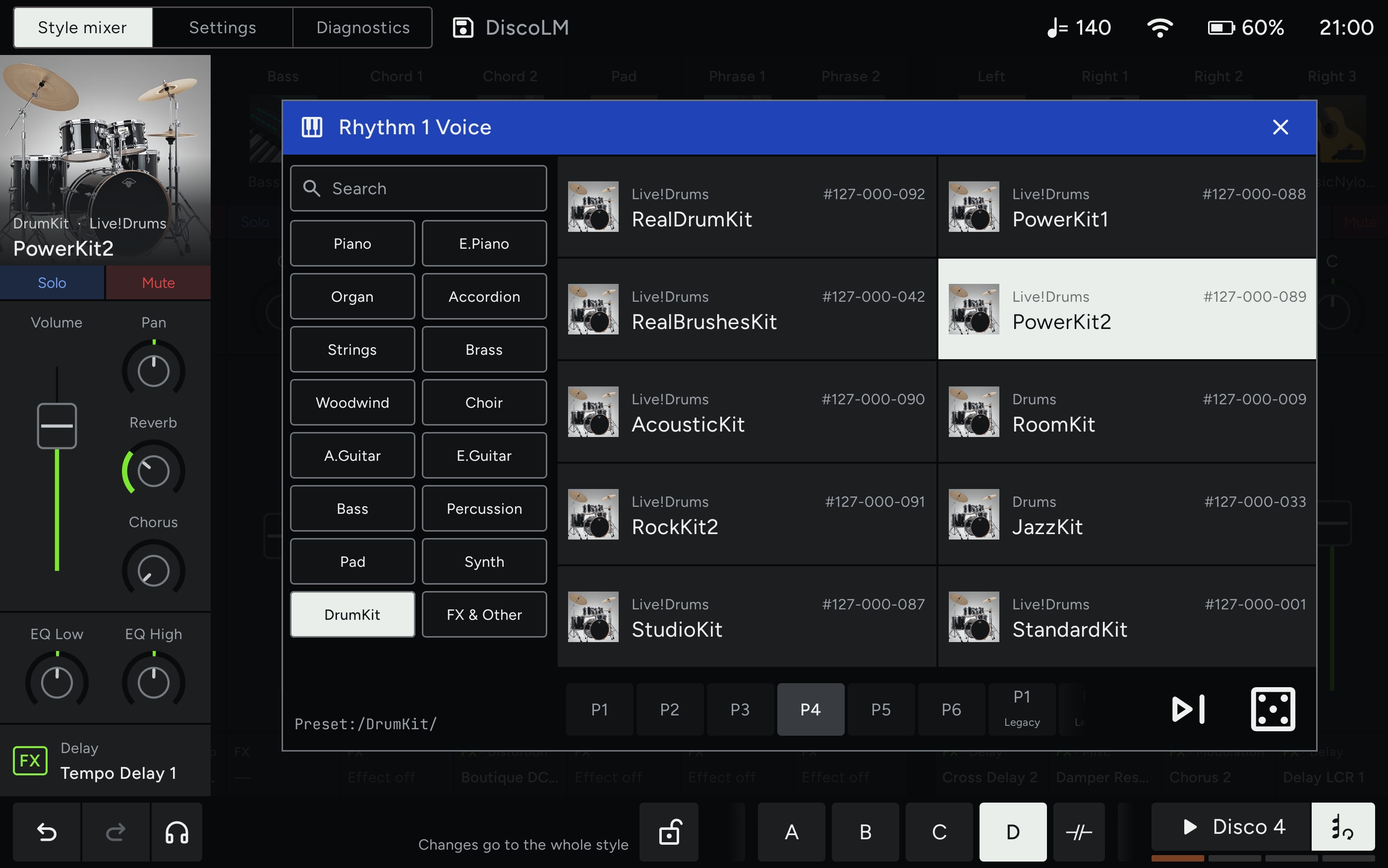
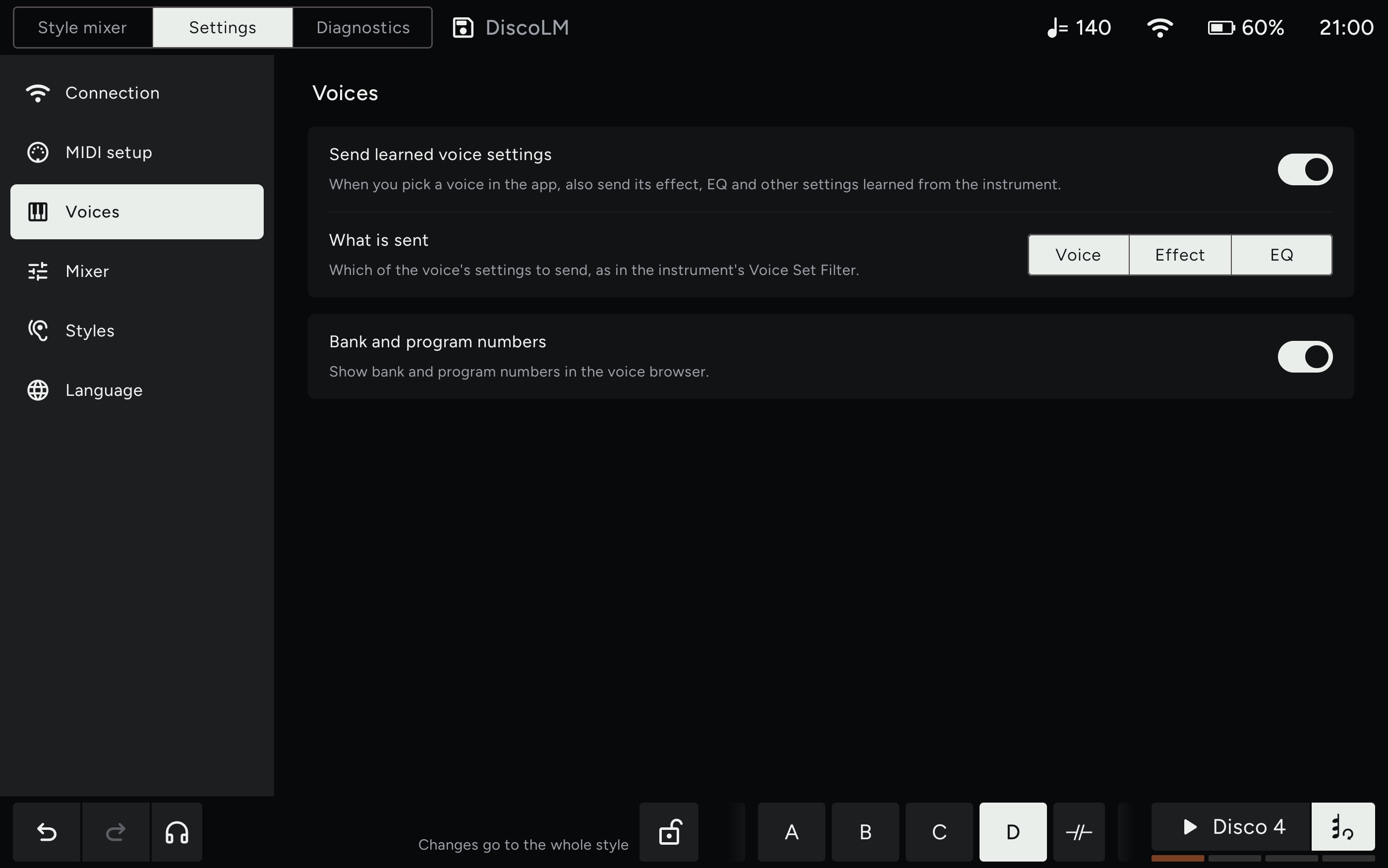
Browse every voice of the instrument by category, search by name and swap a part in one tap. The voice's own effect and EQ come along with it.
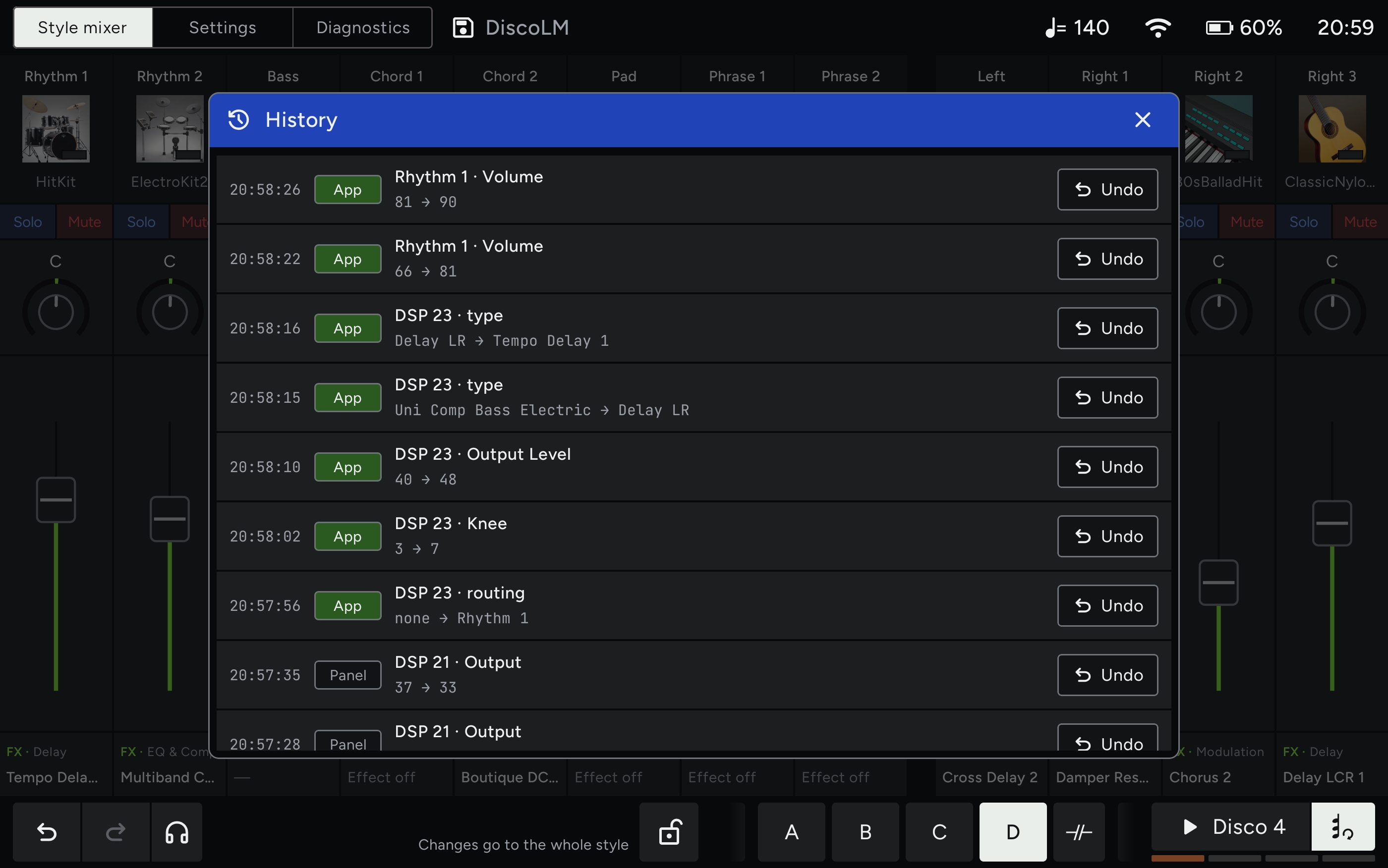
History covers changes made in the app and on the instrument's own panel, and shows where each one came from.
The preview button plays the style exactly as it was loaded, before any of your edits. Tap again and you're back to your version, on the fly.
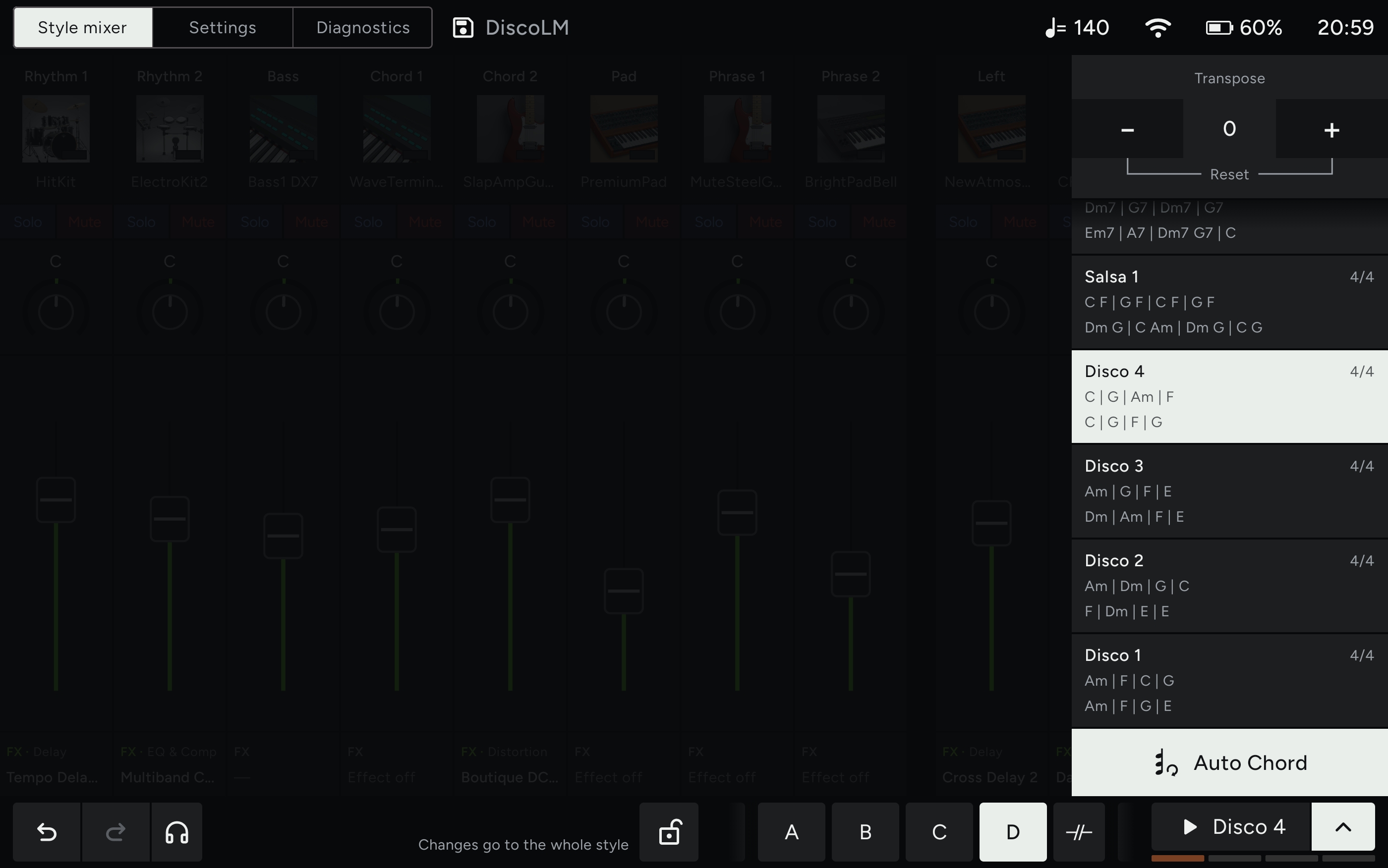
Let the style play itself through a chord progression while you edit, so both hands stay on the tablet.
See how it works, step by step →
Screenshots from the current build. Swipe, tap to enlarge.
Want to try it early? Write to contact@continuoconsole.com
Współpracuje z Genos2 · W trakcie prac
Continuo Console to aplikacja na tablet do studyjnego opracowywania stylów. Zmieniasz brzmienia i miks dla każdej wariacji: aplikacja je pamięta i dosyła za każdym razem, gdy ta wariacja wchodzi. Przez Wi-Fi lub USB.
Wybierz bas, pad albo poziom dla Main A, a wróci za każdym razem, gdy wchodzi Main A. B, C i D mają własne ustawienia. Albo jednym dotknięciem zablokuj zmianę dla całego stylu.
Wybierz styl na panelu, a aplikacja rozpozna go w dziesiątą część sekundy i przywróci wszystko, co dla niego ustawiłeś. Na tyle szybko i cicho, że sprawdza się na żywo.
Głośność, panorama, pogłos, chorus i EQ dla każdej partii stylu oraz brzmień Left i Right, z solo i mute.
Zmień efekt insertowy dowolnej partii i ustaw każdy jego parametr na osobnym pokrętle. Przełączaj między A i B, żeby porównać dwa ustawienia.
Przeglądaj wszystkie brzmienia instrumentu według kategorii, szukaj po nazwie i podmieniaj partię jednym dotknięciem. Efekt i EQ brzmienia przychodzą razem z nim.
Historia obejmuje zmiany z aplikacji i z panelu instrumentu, i pokazuje, skąd pochodzi każda z nich.
Przycisk podglądu odtwarza styl dokładnie taki, jaki był wczytany, przed Twoimi poprawkami. Drugie dotknięcie i wracasz do swojej wersji, w locie.
Styl sam gra według progresji akordów, kiedy Ty edytujesz, więc obie ręce zostają na tablecie.
Zobacz krok po kroku, jak to działa →
Zrzuty z aktualnej wersji. Przesuń, dotknij, żeby powiększyć.
Chcesz przetestować wcześniej? Napisz: contact@continuoconsole.com